Separate classic LCS and unified experience
Projects can now encounter two ALM chains: classic Finance and Operations deployable packages in the LCS Asset Library, and unified developer experience packages deployed through Power Platform. Tasks, formats and tooling are not interchangeable.
This article focuses on classic LCS. For unified projects, see Unified developer experience for finance and operations apps.
Environment types and their roles
| Environment type | LCS tier | Primary purpose | Deployment method |
|---|---|---|---|
| Developer (cloud-hosted) | Tier 1 | Development, unit test, local debugging | Manual or pipeline trigger |
| Build agent | Microsoft-hosted | Automated compilation, SysTest, package generation | Pipeline-only, ephemeral |
| Sandbox (UAT) | Tier 2–5 | Business validation, integration and performance test | LCS Asset Library + pipeline |
| Pre-production | Tier 2+ | Final dress rehearsal; runbook validation | LCS, gated approval |
| Production | Microsoft-managed | Live operations | LCS maintenance mode, change window |
Tier 1 environments share database resources and cannot be used to validate performance, integrations or multi-user scenarios. Any test that requires representative data volumes must run on Tier 2 or above.
Build an immutable artifact
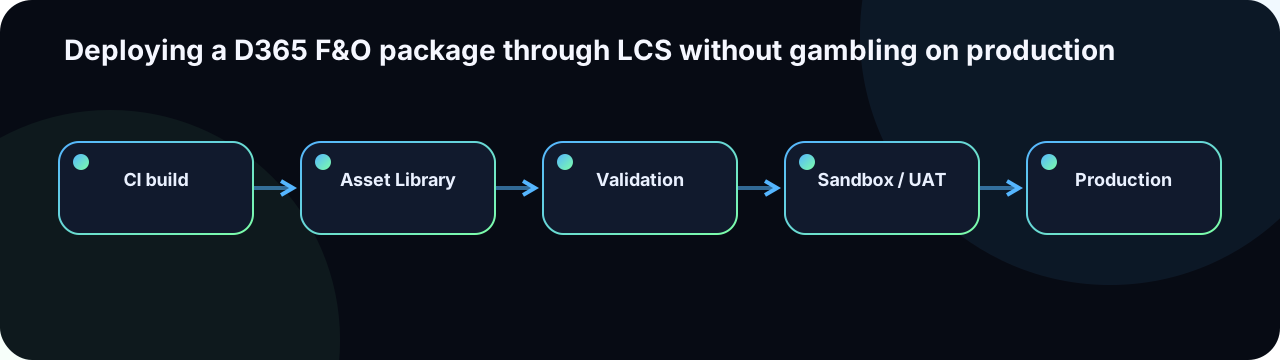
The package should come from a controlled build and carry version, commit, branch and linked work items. Microsoft recommends all-in-one packages for classic deployments in All-in-one deployable packages.
QWO-D365-10.0.48.20260721.3.zip
Commit: 7c4e90a | Branch: refs/heads/main
Build: D365-CI-8421
Models: QwoCore, QwoIntegration, QwoReporting
Work items: ADO-1423, ADO-1510, ADO-1577
Target baseline: 10.0.48 PU72
SHA-256: e3b0c44298fc1c149afbf4c8996fb924...
The artifact validated in UAT is the one promoted to production. Rebuilding "the same code" creates a different artifact — a different compilation context, dependency resolution and binary fingerprint.
Pre-upload checks
- Full build and automated SysTests pass in CI.
- No missing dependencies or third-party runtime packages.
- Target application-version compatibility confirmed (baseline match).
- Data migration scripts, manual configuration steps and batch runbook documented.
- SSRS reports, labels and resources included in the package.
- Database synchronisation impact estimated (new fields, index changes, table renames).
- Functional disable mechanism (parameter flag, feature flag) available when technical rollback is unsafe.
- SHA-256 checksum stored alongside the release record.
Asset Library and validation
Upload the package with a clear name following the naming convention and link it to the release work item. LCS validation can identify selected structural or compatibility issues, but it does not replace build or business testing. See Validate a package in Lifecycle Services.
Rehearse in sandbox/UAT
- Use a representative application version and package baseline (same as production target).
- Measure every deployment phase duration and record variance.
- Test database sync, SSRS output, batch schedules and integration endpoints.
- Execute the complete post-deployment checklist with the operator who will run production.
- Capture logs, error messages and timing for the runbook.
- Validate manual steps — data migration scripts, configuration changes, security assignments — with the person who will execute them in production.
Go / No-Go review
| Area | Decision question |
|---|---|
| Artifact | Does the checksum match the validated package? |
| Environment | Are version, maintenance mode and concurrent operations compatible? |
| Business | Are critical users, batch jobs and downstream flows aware of the outage window? |
| Interfaces | Can upstream/downstream traffic be paused, buffered or replayed? |
| Support | Are owners, escalation paths and Microsoft support contacts confirmed? |
| Recovery | Are abort thresholds, compensating actions and approving authority agreed in advance? |
Execute and record
Microsoft describes cloud package application in Apply updates to cloud environments. Maintain an operational timeline in parallel with the LCS progress indicator:
21:00  Go confirmed — change CHG-2026-071, approver: J. Martin
21:06  Maintenance mode ON — users logged out
21:08  Package application started — Asset ID 8421
21:42  Database synchronisation completed (34 min)
22:05  Package application completed
22:10  Maintenance mode OFF — services restarted
22:14  Batch services checked — 3 critical batch groups enabled
22:18  Integration endpoints: inbound OK, outbound OK
22:22  Smoke tests started
22:41  Business validation completed — GO confirmed
22:45  Change record closed — all evidence attached
Risk-based smoke tests
- Sign-in and navigation for each critical legal entity.
- Create and post a representative transaction (sales order, purchase order, payment journal).
- Priority batch jobs: execution state, last run timestamp, error log.
- SSRS output: generate at least one report per changed report model.
- Inbound integration: receive a test message and confirm processing with correlation ID.
- Outbound integration: trigger and confirm delivery with external system acknowledgement.
- Impacted workflows, business events and Power Automate flows.
- Security spot-check with a business role (not System Administrator).
- Application Insights / Azure Monitor: no unexpected error spike in the first 15 minutes.
Be precise about rollback
Rollback is not always an instant button. Database synchronisation and data created during the deployment window can make package removal unsafe. Define recovery criteria before deployment begins:
- Decision threshold: if the Go/No-Go condition is not met by [time], the recovery decision is triggered.
- Data in-flight: document transactions created between deployment start and potential recovery point.
- Interface freeze: list integration endpoints to suspend before rollback to avoid message duplication.
- Recovery options in priority order: (1) corrective package, (2) feature flag / parameter disable, (3) managed point-in-time restore, (4) full rollback with data compensation.
- Approving authority: name the person authorised to trigger a managed restore in the Microsoft support case.
Hypercare and closure
Monitor errors, batch duration, integration queues, slow queries and user incidents for an agreed hypercare period (typically 5–10 business days for a major release). Close the release record only after archiving:
- The deployable artifact and SHA-256 checksum.
- Deployment timeline and operator log.
- Smoke test evidence and business validation sign-off.
- All incident records opened during the window.
- Lessons-learned and runbook delta for the next release.